
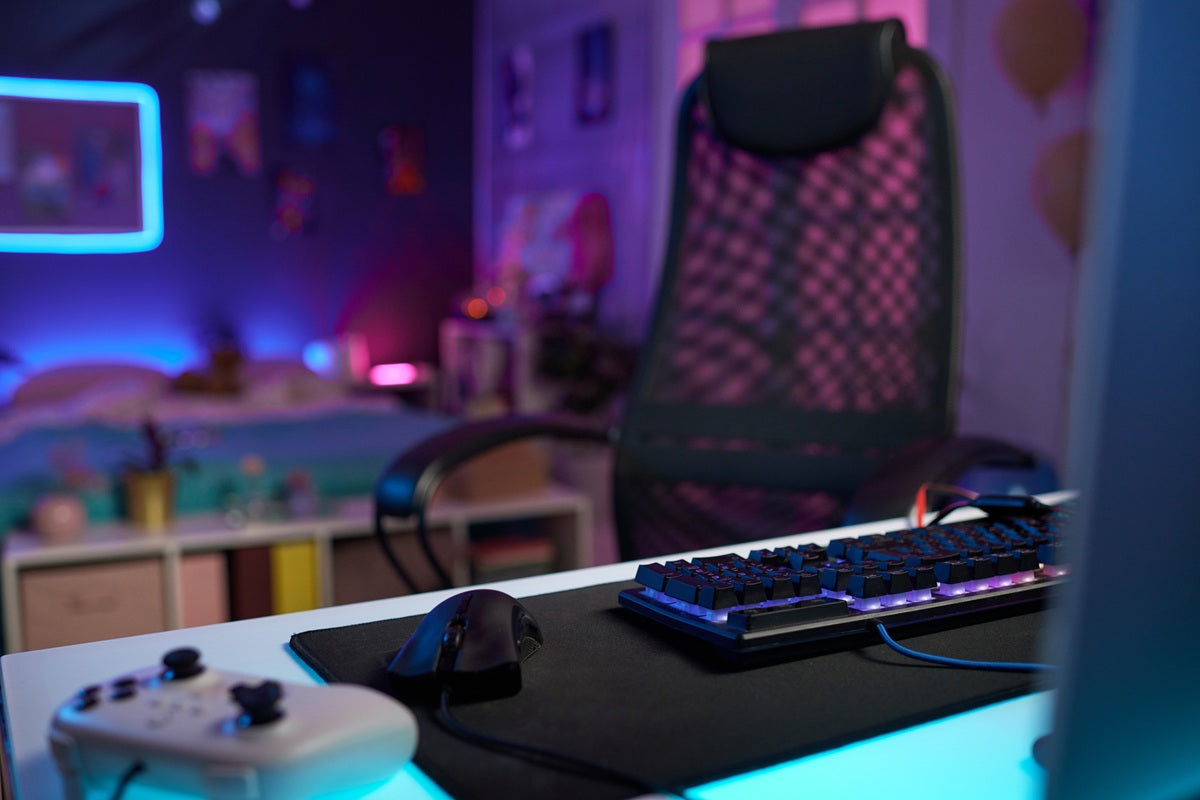
Nothing pulls a gaming setup apart faster than RGB lighting fighting for attention against a mess of cables and mismatched gear.
At Guilds, we work with Singapore gamers and streamers who want a setup that looks as sharp on camera as it does in the room, and the answer is rarely more lights. It is choosing gaming desk accessories that support the RGB rather than compete with it.
Key Takeaways
-
The cleanest RGB setups use fewer, better-placed accessories rather than lighting up every surface.
-
A monitor stand or platform with built-in USB routing and storage eliminates the need for multiple separate devices.
-
Sticking to one or two RGB software ecosystems avoids clashing colours and unsynced lighting.
-
Cable management is what actually separates a "clean" RGB setup from a cluttered one, more than the lighting itself.
Why RGB Setups Often Look Cluttered Instead of Clean
RGB is easy to add and hard to control. A keyboard here, a mouse pad there, a strip behind the monitor, a fan controller under the desk, each one adds its own app, its own cable, and its own colour logic.
On their own, none of these looks bad. Together, they often clash, both visually and physically, with wires running in every direction and no single surface doing more than one job.
The gaming desks that photograph well and function well tend to share one trait: fewer accessories, chosen deliberately, each pulling weight beyond just looking good.
The Accessories That Actually Keep an RGB Setup Clean

Before adding any lighting, most gaming desks benefit from the same short list of accessories. Each one solves a specific clutter problem, and together they leave the surface open enough for the RGB to actually do its job.
A Customisable Monitor Stand or Arm
The single biggest visual win on any gaming desk. Raising the screen frees up the space directly in front of you for a keyboard or peripherals, and a good stand or arm handles most of the cable routing at the same time. A customisable monitor stand with a built-in USB hub also removes the need for a separate hub sitting elsewhere on the desk.
A Headset Stand
A headset left on the desk takes up more space than most people realise, and always seems to be in the way of something. A dedicated headset stand, ideally built into the monitor stand rather than a standalone piece, keeps a bulky item entirely off the surface.
One Full-Sized Desk Mat
A single large desk mat replaces a smaller mouse pad, a separate wrist rest, and a bare desk surface with one consistent visual layer. It also gives the mouse a predictable tracking surface and quiets keyboard vibration.
A Cable Tray or Under-Desk Routing Kit
The one accessory nobody photographs, but the one that separates a desk that looks clean in photos from one that looks clean in person. A basic tray plus a handful of Velcro tie handles most home setups.
A Compact Desk Light with Adjustable Warmth
Especially useful for streamers, but valuable for any evening gamer. A warm-toned desk lamp balances the cooler tones of most RGB and reduces the strain that comes from staring at a bright screen in an otherwise dark room.
None of these needs to be expensive to work. They just need to be chosen with restraint, so that each one earns its place instead of adding another cable.
Choosing an RGB Ecosystem Instead of Random Lights
The fastest way to make an RGB setup look messy is running lighting from four different brands, each with its own app and its own idea of "sync."
Keyboard, mouse, case fans, and monitor stand lighting often require four separate pieces of software just to keep them in the same colour family.
The fix is choosing accessories that either share a software ecosystem or offer manual colour matching, so the palette stays consistent even if the hardware doesn't.
Before adding a new RGB accessory, it's worth checking whether it can be set to a fixed colour or synced to what's already on the desk, rather than left on a default rainbow cycle.
Cable Management for Gaming Desks
Gaming setups tend to carry more cable load than a typical desk: mouse and keyboard, headset or headset dongle, controller charging cables, a webcam, a microphone, and often a stream deck or capture card on top of the monitor, plus the usual power cables running to each device.
A few habits keep this from turning into a tangle:
-
Route cables along the back of the desk using clips or a tray, not loose across the surface
-
Charge controllers through a single powered hub rather than individual wall plugs
-
Keep the mouse cable, if wired, clipped near the front edge so it doesn't drag across the mat
-
Bundle cables by function, power on one run, data on another, so troubleshooting a dead peripheral doesn't mean untangling everything
This is the part that rarely gets attention in RGB setup guides, but it is usually the difference between a desk that looks clean in photos and one that looks clean in the room as well.
How Much RGB Is Too Much?
There's no fixed rule, but a useful test is whether the lighting still reads as intentional.
Two or three well-placed light sources, a strip behind the monitor, an accent under the desk, backlit keys, usually create an atmosphere. Six or seven competing sources, each cycling independently, tend to create visual noise instead.
A simple approach that works for most setups:
-
Pick one dominant colour or a two-colour palette
-
Limit lighting to two or three fixtures rather than every accessory
-
Use static or slow-fade effects for ambient pieces, and save reactive lighting for one focal point, like the keyboard or a monitor backlight
The Perfect Gaming Desk Accessories
Many of the accessories on the list above are designed to solve problems that arise from stacking too many single-purpose gadgets on one desk. Most gaming desk upgrades happen one gadget at a time: a monitor arm, then a headphone hook, then a phone stand, then a USB hub, then RGB strips to tie it all together. Each one solves a single problem and adds one more thing to the desk.
The Guilds Altura Monitor Stand (VESA Arm Edition) solves all five at once.
It's a height-adjustable VESA monitor arm at its core, supporting screens from 17" to 32", so elevation and distance are sorted from the start. Built into the same platform:
-
Headphone stand — no separate hook taking up desk space
-
Foldable phone stand — tucks away when not needed
-
USB hub — 1× USB-C and 2× USB 3.0, all your peripherals through one connection point
-
Customisable RGB lighting — matched to the rest of the setup through Guilds' own software, so there's one colour profile to manage instead of several competing apps
For anyone building or refreshing a gaming desk, starting with the Guilds Altura Monitor Stand as the base often removes three or four separate purchases before the rest of the setup is even planned. Everything runs through one platform, one cable to the PC, and one piece of software.
If you would like help mapping out what a clean RGB setup looks like for your specific desk, contact us today, and we will work through it with you.
Frequently Asked Questions
What are the most important gaming desk accessories for a clean look?
A monitor stand with storage, a headset stand, one large desk mat, and proper cable routing cover most of the visual clutter that makes gaming setups look messy, before RGB lighting even enters the picture.
How do I stop my RGB lighting from looking mismatched?
Stick to one or two RGB software ecosystems where possible, or manually set accessories to a shared colour rather than leaving each one on its own default cycle.
Is it possible to have RGB lighting and a minimalist desk at the same time?
Yes. The two aren't opposites. Limiting lighting to two or three deliberate placements on a single colour palette tends to create a cleaner look than removing RGB altogether.
Best Desk Setup Accessories That Make Your Workspace Look Better
Height-Adjustable VESA Monitor Stand for Standing Desks: What to Check Before You Buy